Know exactly where your money goes
Stekko is a simple expense tracker. Log spending in seconds, get warned when you go over your monthly budget, compare months in charts, view amounts in any currency and export clean PDF and CSV reports.
Every feature free for 30 days, then free to keep tracking or a one-time $20 for everything. No card needed.
- decimal places, your choice
- 2–4
- decimal places, your choice
- supported currencies
- 22
- supported currencies
- expense types, built-in and your own
- 5 + 5
- expense types, built-in and your own
- languages: English, Serbian
- 2
- languages: English, Serbian
štek
noun · Serbian
money put aside; savings
Why Stekko?
A name that means saving money
Stekko comes from the Serbian word štek, the money you put aside and save. That's the whole idea: when you can see where your money goes, it's much easier to keep some of it.
Features
Everything you need, nothing you don't
Stekko keeps expense tracking simple: a clear dashboard, useful alerts, charts and reports you can export.
Fast expense logging
Add expenses by hand, up to 5 at once with the full version (one at a time in the free version), or import up to 50 from a CSV file. Quantities multiply out to a line total automatically.
Expense types
Tag spending as Rent, Bill, Groceries, Food or Other, or add up to 5 types of your own in Settings, then filter the dashboard by type.
Search, filter and sort
Find anything by name, narrow by a min–max price range and sort by date, name or price.
Monthly budget alerts
Set a monthly budget and the dashboard tells you exactly how far over it you are.
View in any currency
Preview your spending in another currency at today's rate, or enter your own. Nothing is saved.
Reports and PDF or CSV export
Monthly and custom date range reports with totals, for every expense or just one type, ready to download as a PDF or CSV, in your currency or another one at today's rate or your own.
Charts that compare months
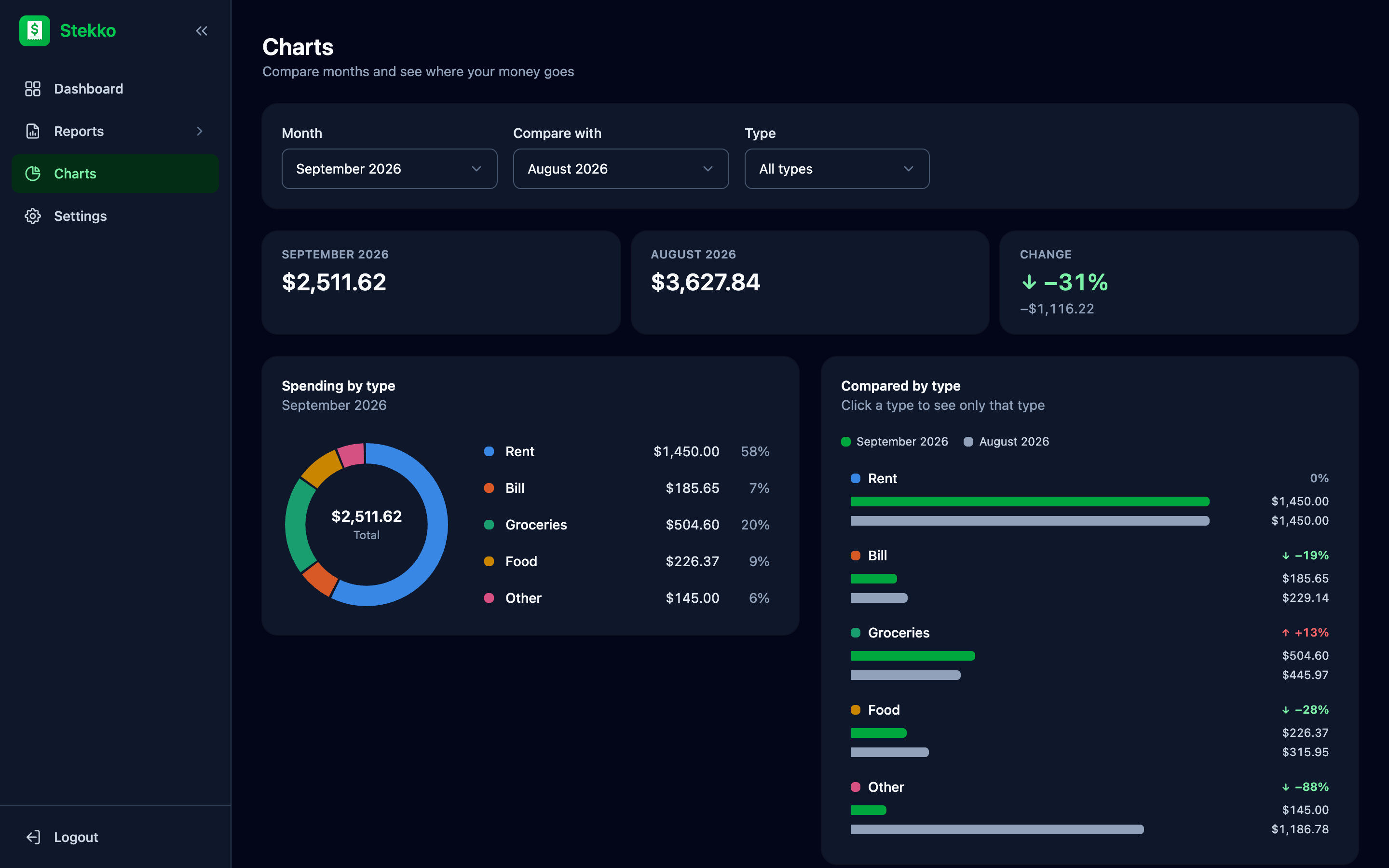
Pick a month and compare it with any other: the change in spending, a breakdown by type and your last 12 months at a glance.
Your number format
Choose 2–4 decimals and how digits are grouped: 1,234.56, 1.234,56 or 1 234,56.
English and Serbian
The whole interface is available in both languages, switchable at any time.
Light and dark theme
Choose light or dark, or let Stekko follow your device. It's set on each device, just like the language.
Works in any browser
Use Stekko on your computer, tablet or phone in any modern browser. Native mobile apps are coming soon.
Product tour
Take a look around
Pick a screen to see how Stekko works in the browser.
Your day at a glance
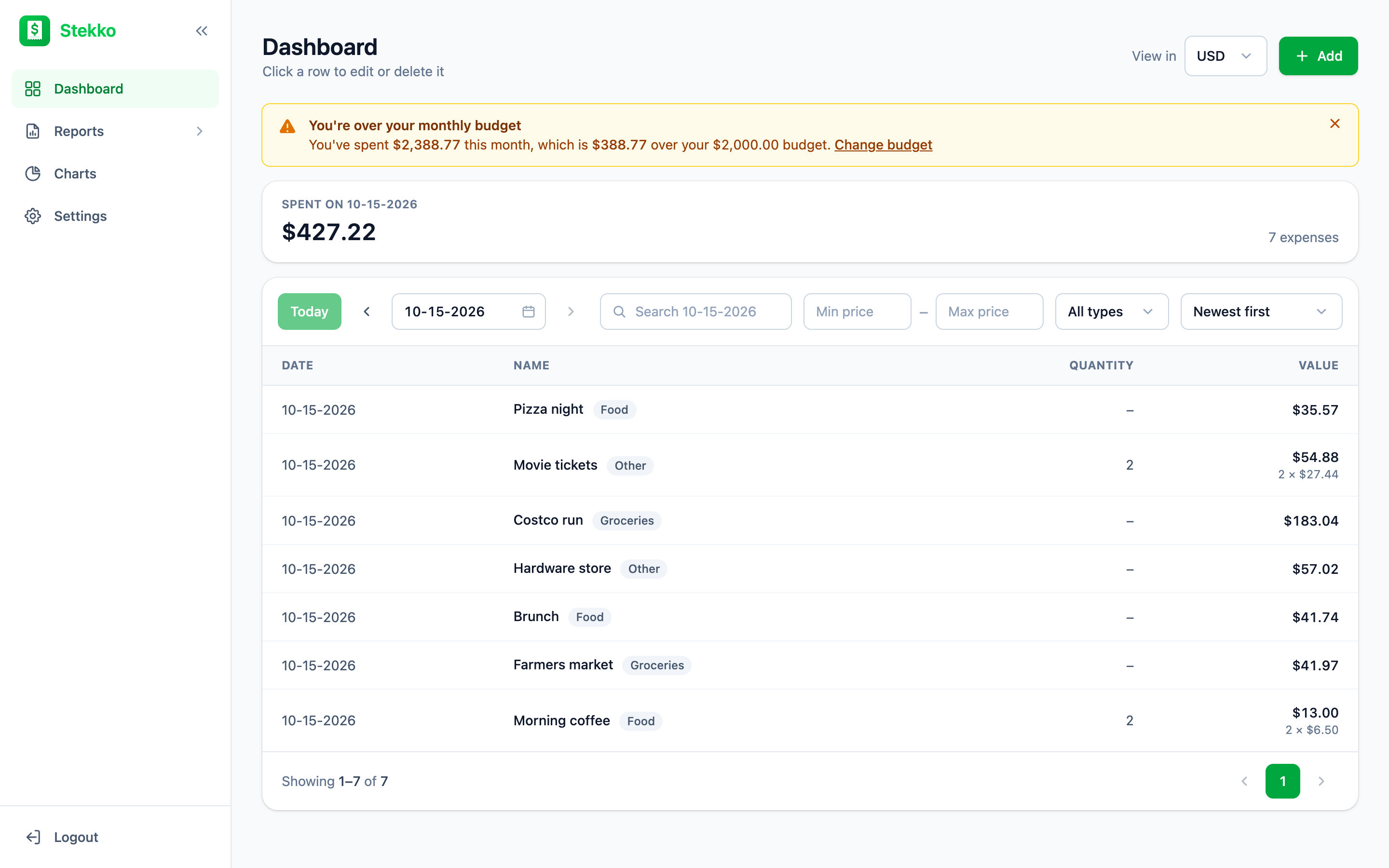
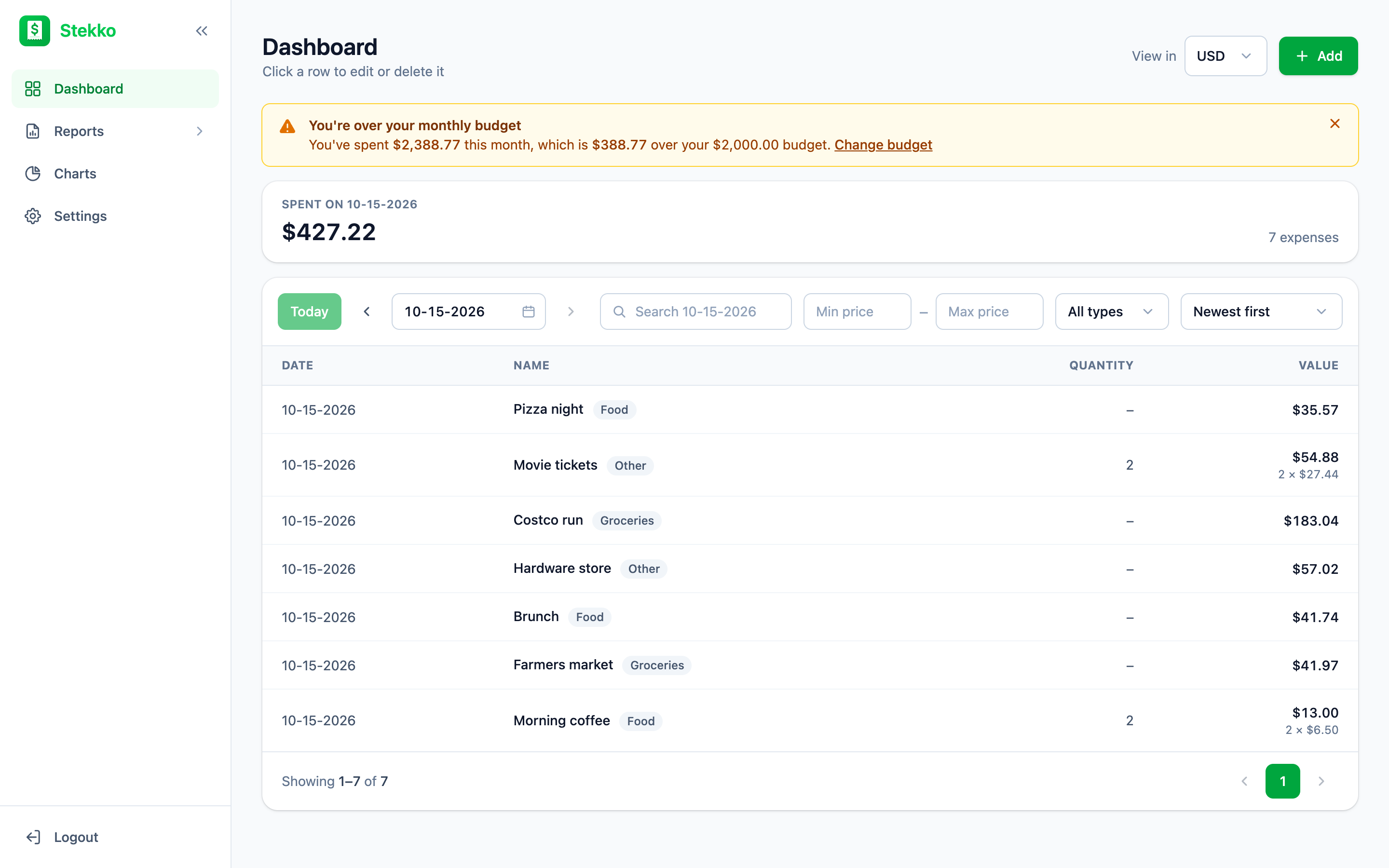
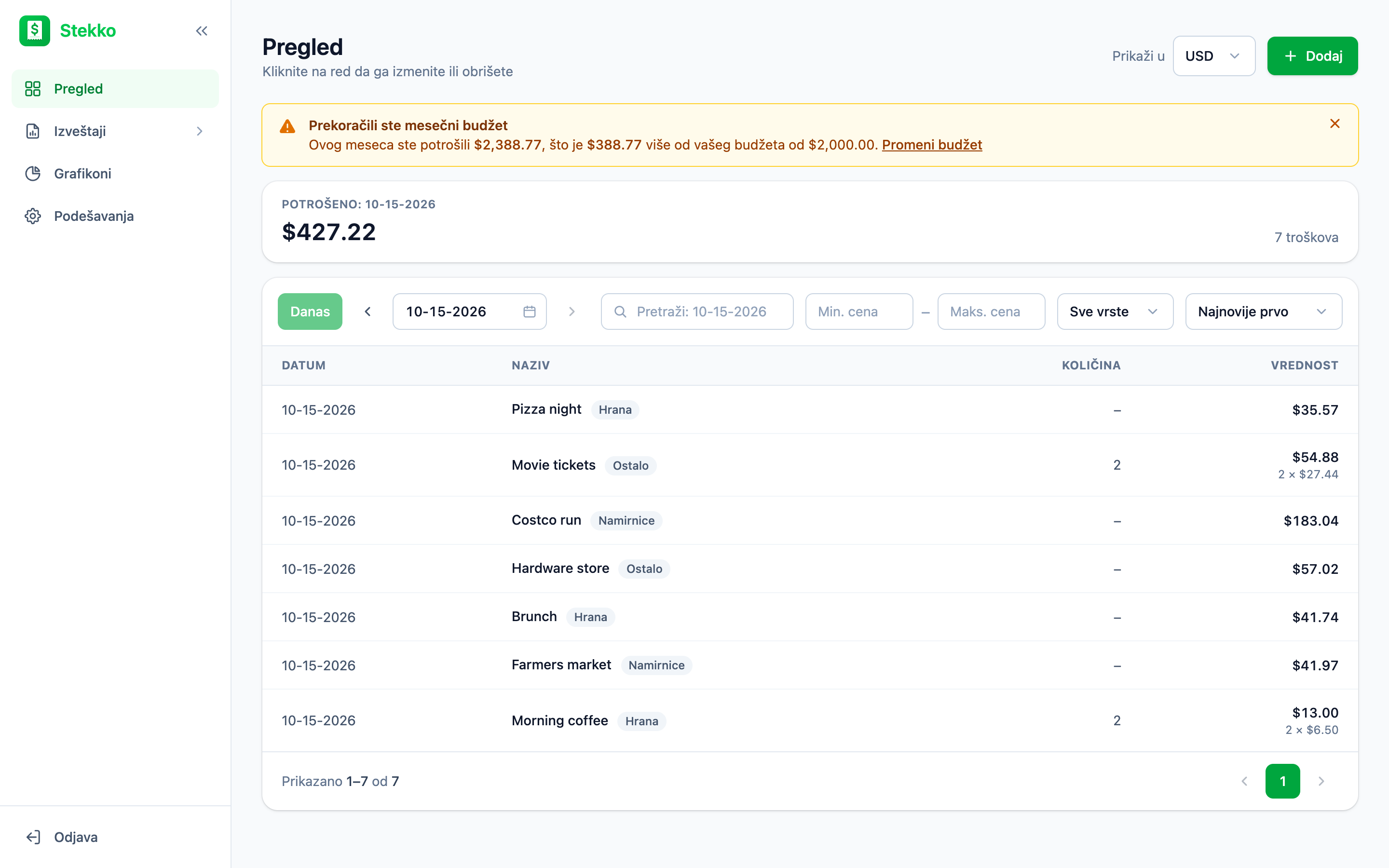
The total for the day up top, every expense below. Step through the days or jump back to today, and click any row to edit or delete it.
Dashboard
Find any expense in a couple of clicks
The dashboard shows one day at a time with its total, starting on today. Search by name, set a price range, pick a type and sort however you like. The total updates to match your filters.
- Step day by day, pick any date or jump back to today
- Price range and type filters
- Sort by newest, name or price
Budget
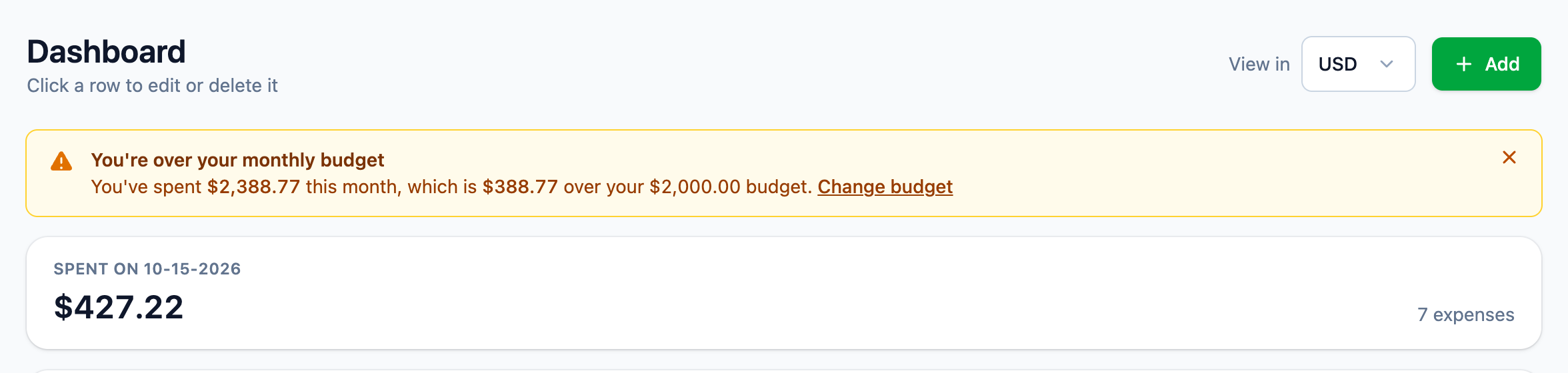
Know when you've gone over budget
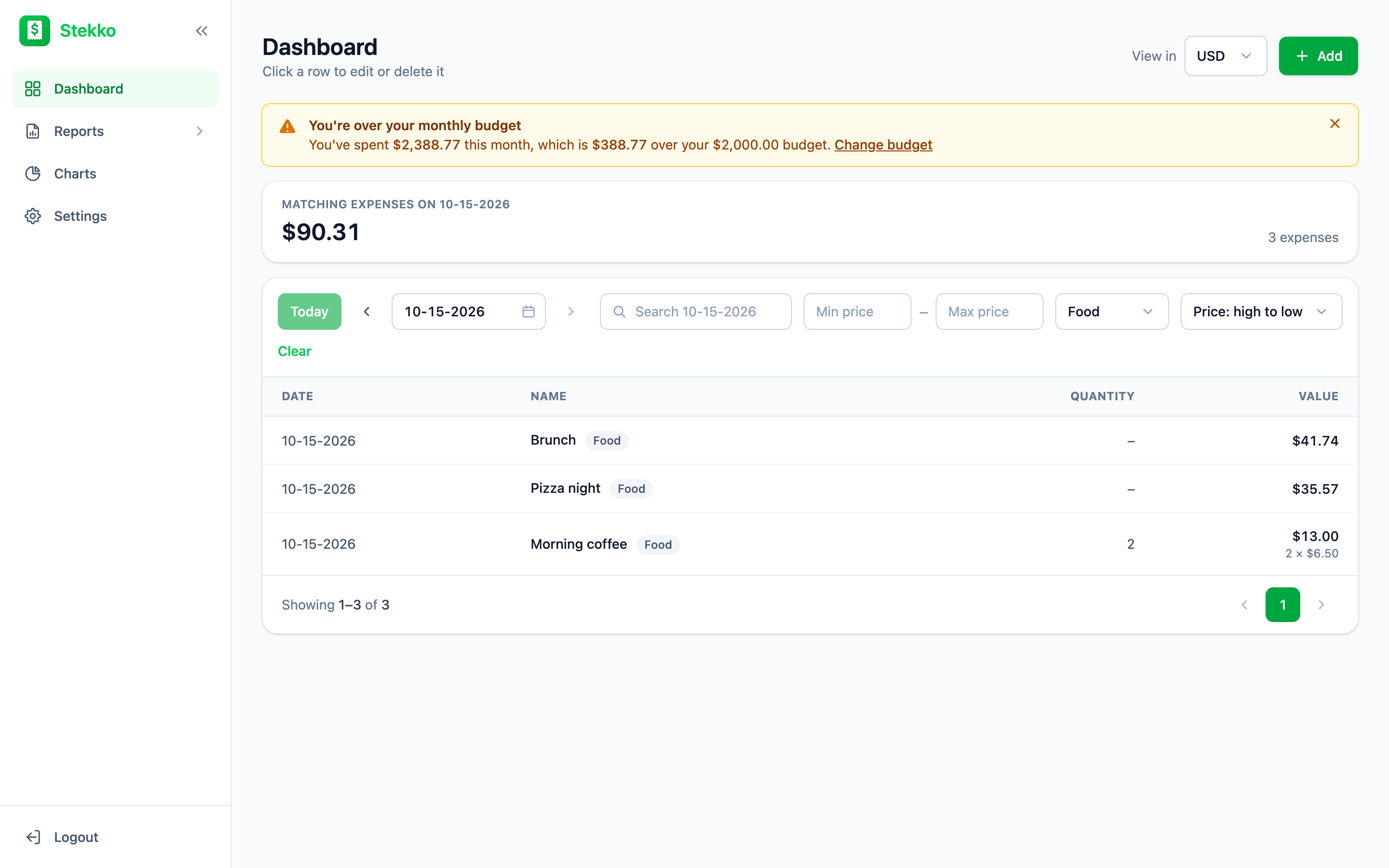
Set how much you plan to spend each month. As soon as this month's expenses go past it, a warning at the top of the dashboard shows what you've spent and how far over you are.
- One monthly budget in your currency
- Shows exactly how much you're over
- Change or remove it from Settings
Multi-currency
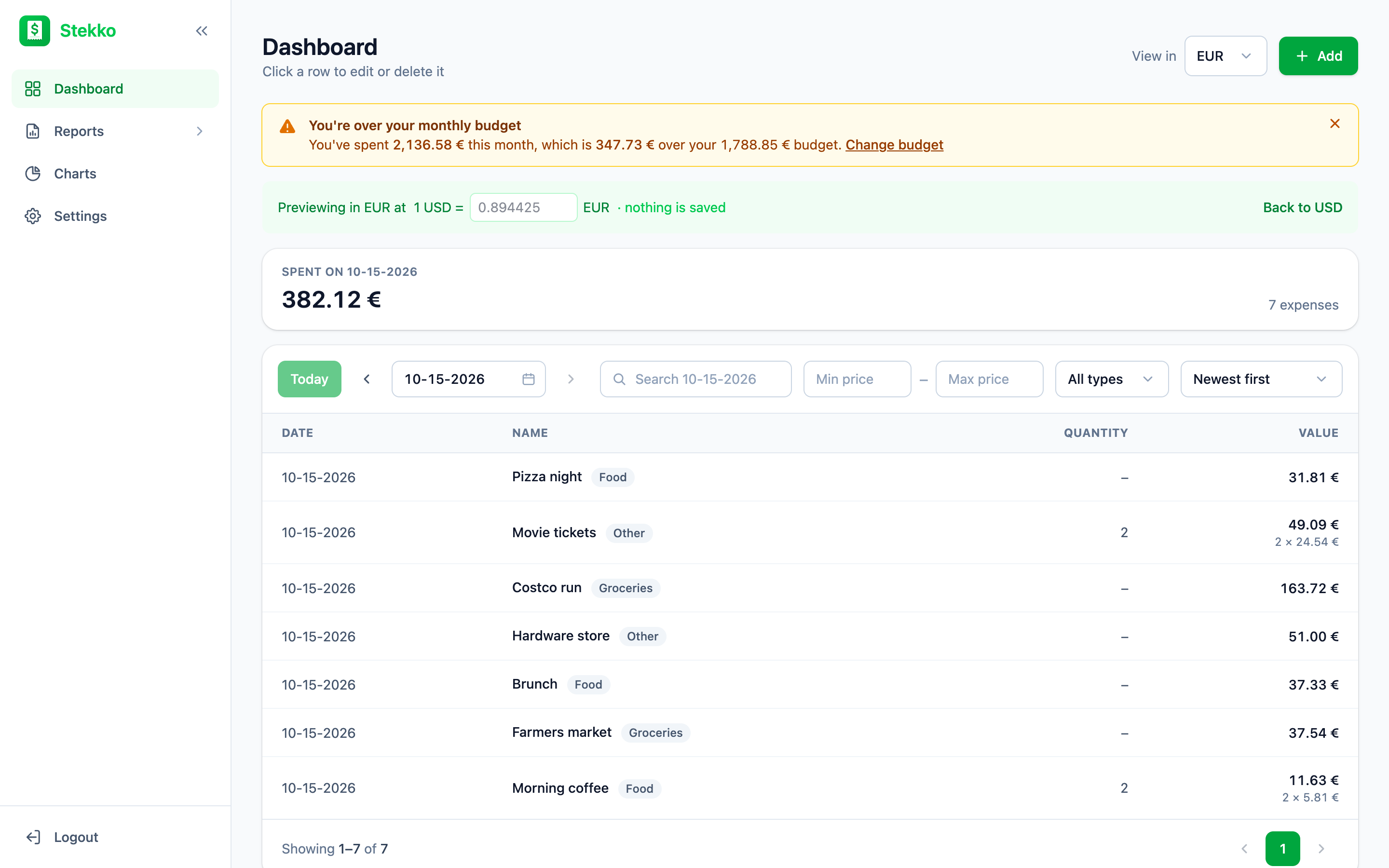
See your spending in another currency
Travelling, or paid in a different currency? Use View in to preview every amount in another currency at today's exchange rate, or type your own rate. It's a preview only, so your data stays as it is.
- 22 currencies supported
- Live exchange rate or your own
- Switch your default currency in Settings
Reports
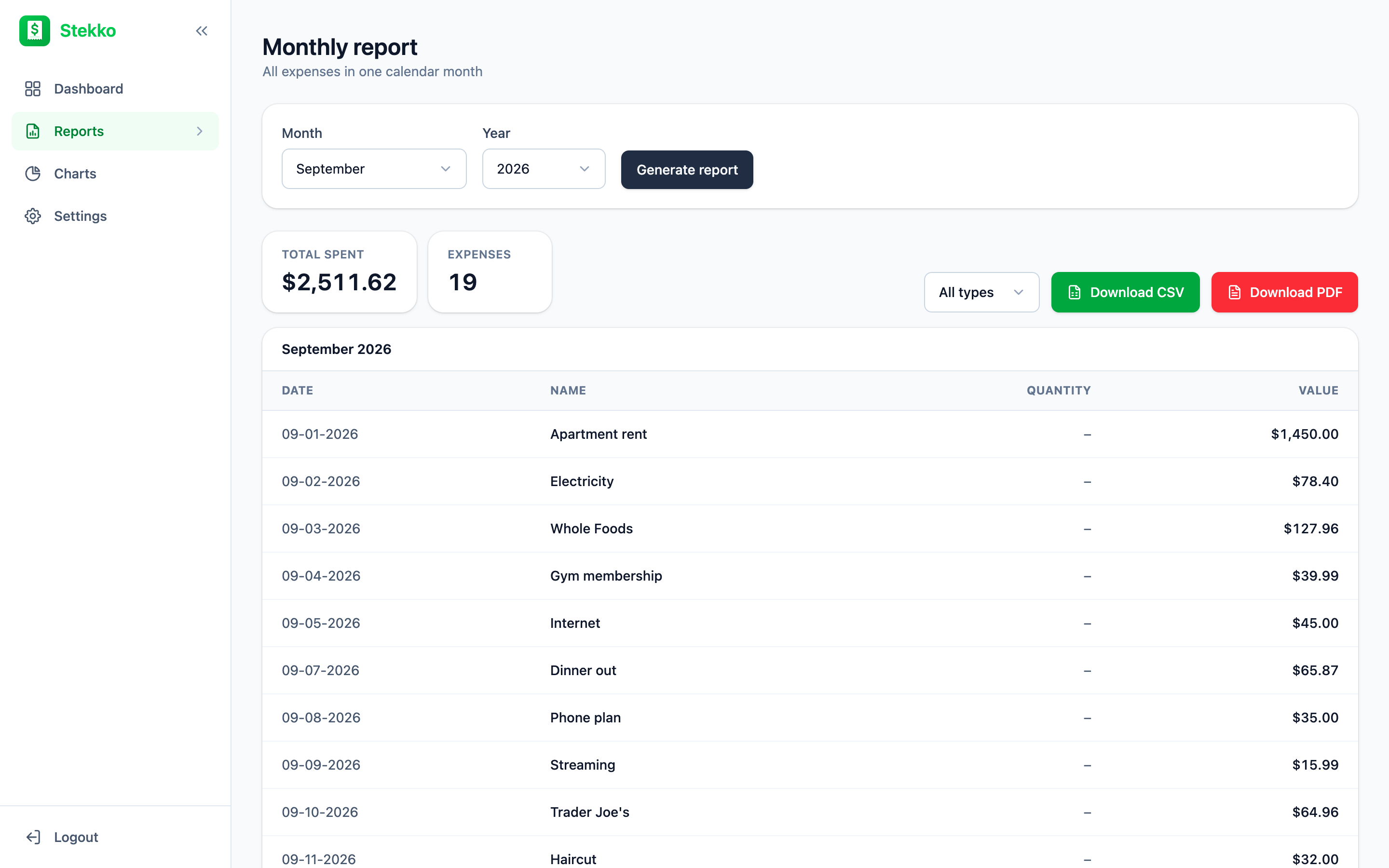
Reports ready to share
Generate a report for any calendar month or a custom date range. You get the total, the number of expenses and a full table, plus a one-click PDF or CSV download for your records, your spreadsheet or your accountant.
- Monthly and custom range reports
- Totals and expense count
- Branded PDF and CSV export, for all types or just one
Charts
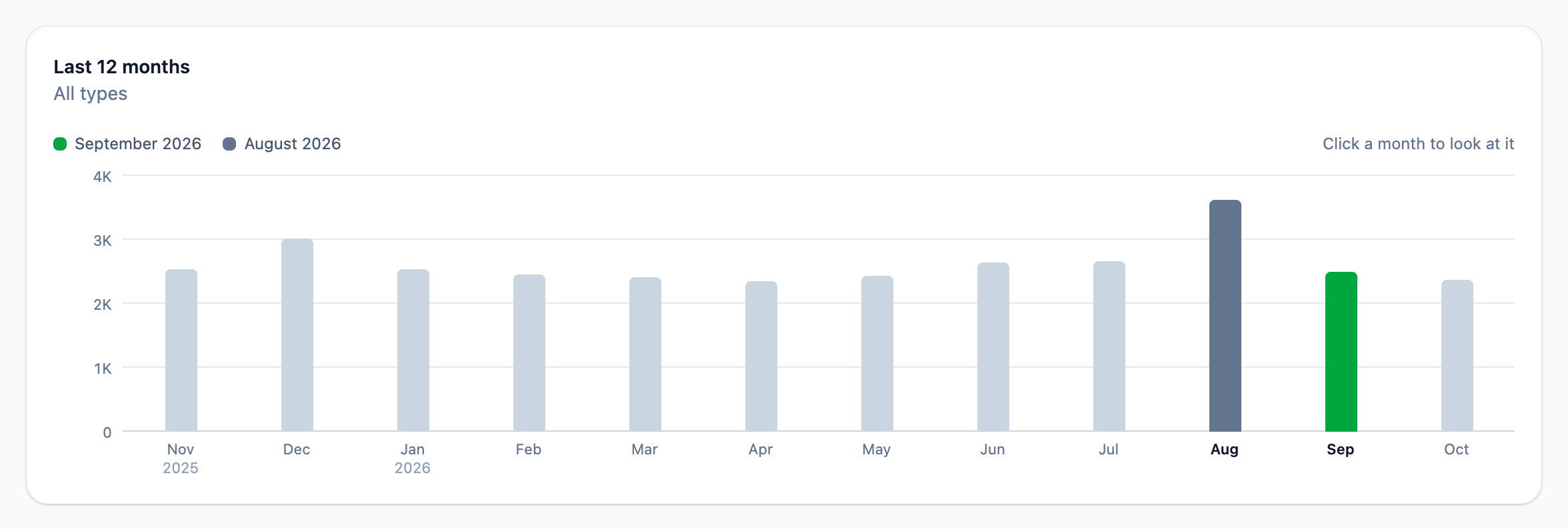
See where your money went, month by month
Pick any month and compare it with another. Stekko shows what you spent in each, how much it changed, a breakdown by type and your last 12 months, so an expensive month stands out right away.
- Compare any two months by type
- Spending by type at a glance
- Your last 12 months in one chart
Dark mode
Easy on the eyes, day or night
Switch Stekko to the dark theme, keep it light or let it follow your device. Every screen and chart is made for both, and each expense type keeps its color in either theme.
- Light, dark or the same as your device
- Set on each device, like the language
- Charts stay easy to read in both themes
Mobile apps
iOS and Android apps are on the way
Native apps for iPhone and Android are in the works. Until then, Stekko works great in your phone's browser, with the same account.
Languages and formats
Speaks your language, counts your way
Use Stekko in English or Serbian. Amounts follow the format you choose, while dates always use the same MM-DD-YYYY format, so you never have to guess which is the day and which is the month.
Comma, dot
$1,234.57
Dot, comma
$1.234,57
Space, comma
$1 234,57
Dates
10-01-2026
How it works
Up and running in a minute
- 1
Create your account
Sign up with your name and email and choose the currency you spend in.
- 2
Log your expenses
Add expenses as they happen, from any browser.
- 3
Review and export
Track your budget on the dashboard, compare months in charts and export reports whenever you need them.
Pricing
Free to track, one payment for the rest
Every new account starts with a 30-day free trial with every feature. After that, tracking expenses stays free, and a single payment unlocks everything else. No subscription.
Free
$0
No card needed
- Every feature free for the first 30 days
- Unlimited expenses, added by hand one at a time
- Monthly budget
- Download all your data as a PDF
Lifetime access
$20
One-time payment
- Monthly and custom reports with PDF and CSV export
- Charts that compare your months by type
- Adding up to 5 expenses at once by hand, CSV import and Serbian fiscal receipt scanning
- Currency conversion
- Your own expense types
- All future updates
Nothing is charged when the trial ends. You keep adding and tracking expenses for free, and can unlock the rest whenever you like.
FAQ
Frequently asked questions
Which platforms does Stekko run on?
Stekko runs in any modern browser, on your computer or your phone. Native iOS and Android apps are coming soon and will use the same account.
How does the free trial work?
Every new account gets 30 days of Stekko with every feature, and you don't need a card to sign up. The app shows how many days are left. When you're ready, unlock it with a single payment, with no subscription.
What happens when the trial ends?
Nothing is charged automatically. You keep the free version: adding expenses by hand one at a time (up to 5 at once with the full version), editing and tracking them, your budget and downloading your data. Reports, charts, CSV import, receipt scanning and currency conversion wait until you unlock Stekko with a single payment.
Is Stekko finished?
Not quite. Stekko is still in testing, so you may run into bugs and some things may change. If something doesn't work as expected, please email us and we'll fix it.
Can I change my currency later?
Yes. In Settings you can switch your default currency and Stekko converts your existing expenses at today's rate, or at a rate you enter. To only look at amounts in another currency, use View in on the dashboard, which never changes your data.
How are dates shown?
Dates always use the MM-DD-YYYY format, whichever language you use. You can type a date or pick it from the calendar.
What's in the PDF report?
The PDF has the report period, the total spent, the number of expenses and every expense with its date, quantity and value, in your chosen currency and number format.
What do the charts show?
Pick a month and the month to compare it with. You see what you spent in each and the change between them, a breakdown by type, both months side by side for every type and your last 12 months. Pick a type, or click one in a chart, to narrow everything to it. Charts are part of the full version.
Can I import expenses from a spreadsheet?
Yes. Open Add, switch to Import CSV and download the template. Fill in one expense per row (name, value, quantity, type and date), save it as CSV and upload it. You can check every expense before adding it, up to 50 per file. Reports can also be downloaded as CSV in the same format, so you can edit them and import them again.
Which languages are supported?
English and Serbian. The language is set per device, so everyone in a household can use the one they prefer.
Is there a dark mode?
Yes. In Settings, under Language and theme, choose Light, Dark or System, which follows your device. Like the language, the theme is set on each device.
How do I delete my account?
Go to Settings, tap Delete account at the bottom and confirm with your password. Your account and every expense are deleted immediately and permanently. See the Delete account page for details.
Start tracking your spending today
Create an account in under a minute and try every feature free for 30 days.